Make every part of your business work together.
Connect finance, sales, inventory, procurement, manufacturing and people with an Odoo environment built around your operations.
New implementations, Community-to-Enterprise projects, older Odoo environments and teams looking to improve adoption.

See the connected Odoo experience
Discover Odoo 19’s feature overview and explore the business applications below. Your implementation is tailored to the selected version and scope.
The applications behind your daily operation.
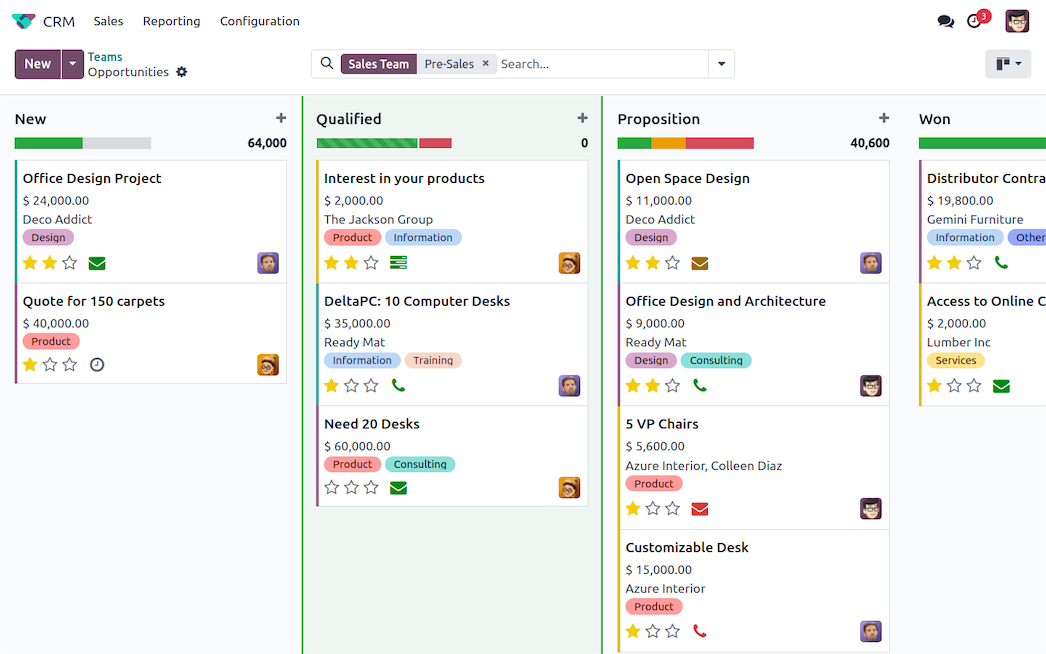
Odoo CRM
Follow opportunities from the first enquiry through the sales pipeline. Activities and a shared customer record help the team coordinate quotations and the next follow-up.
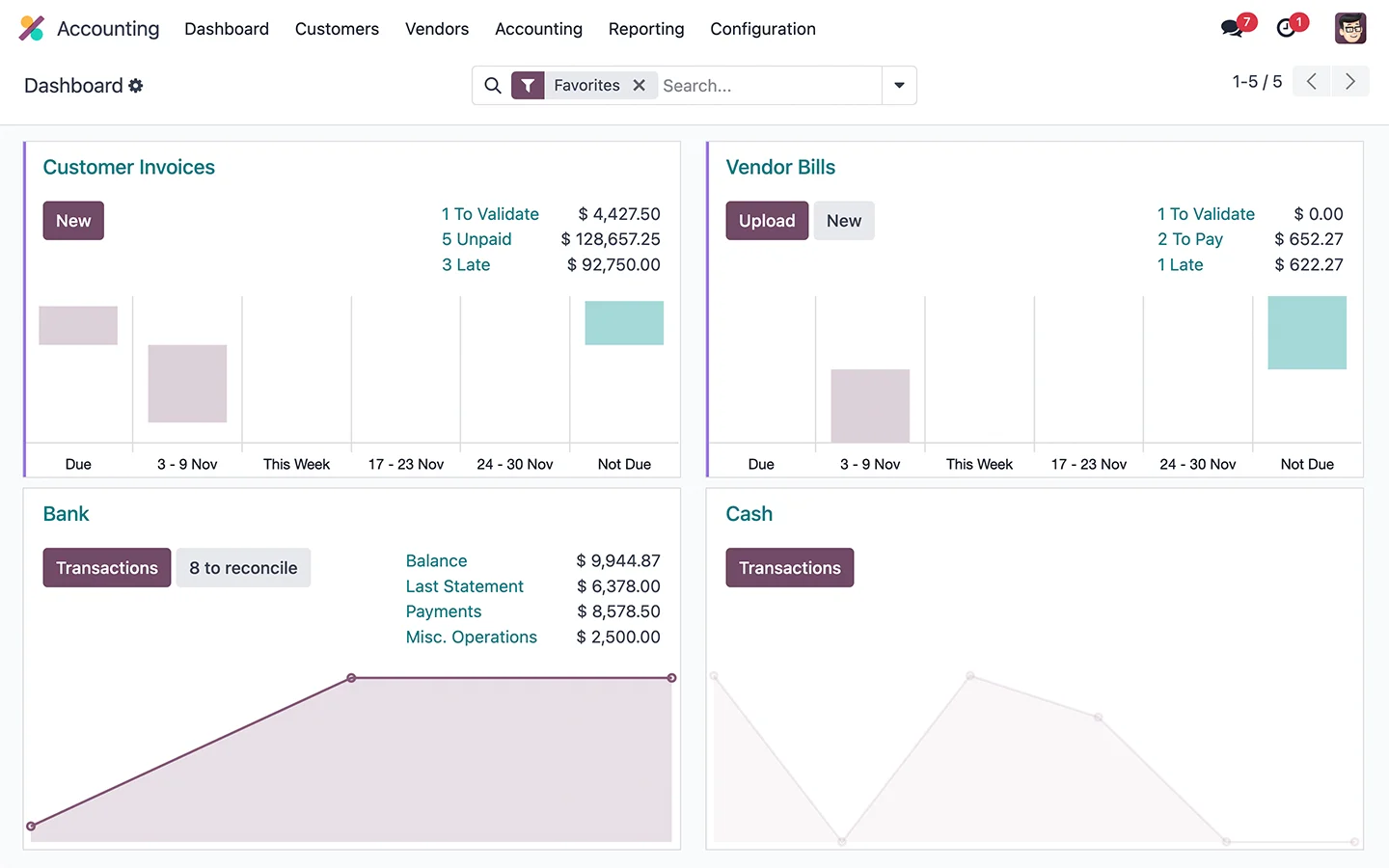
Odoo Accounting
Bring customer invoices, vendor bills and accounting records into the same application. Arselor helps configure the company data, finance workflow and permissions needed for your operation.
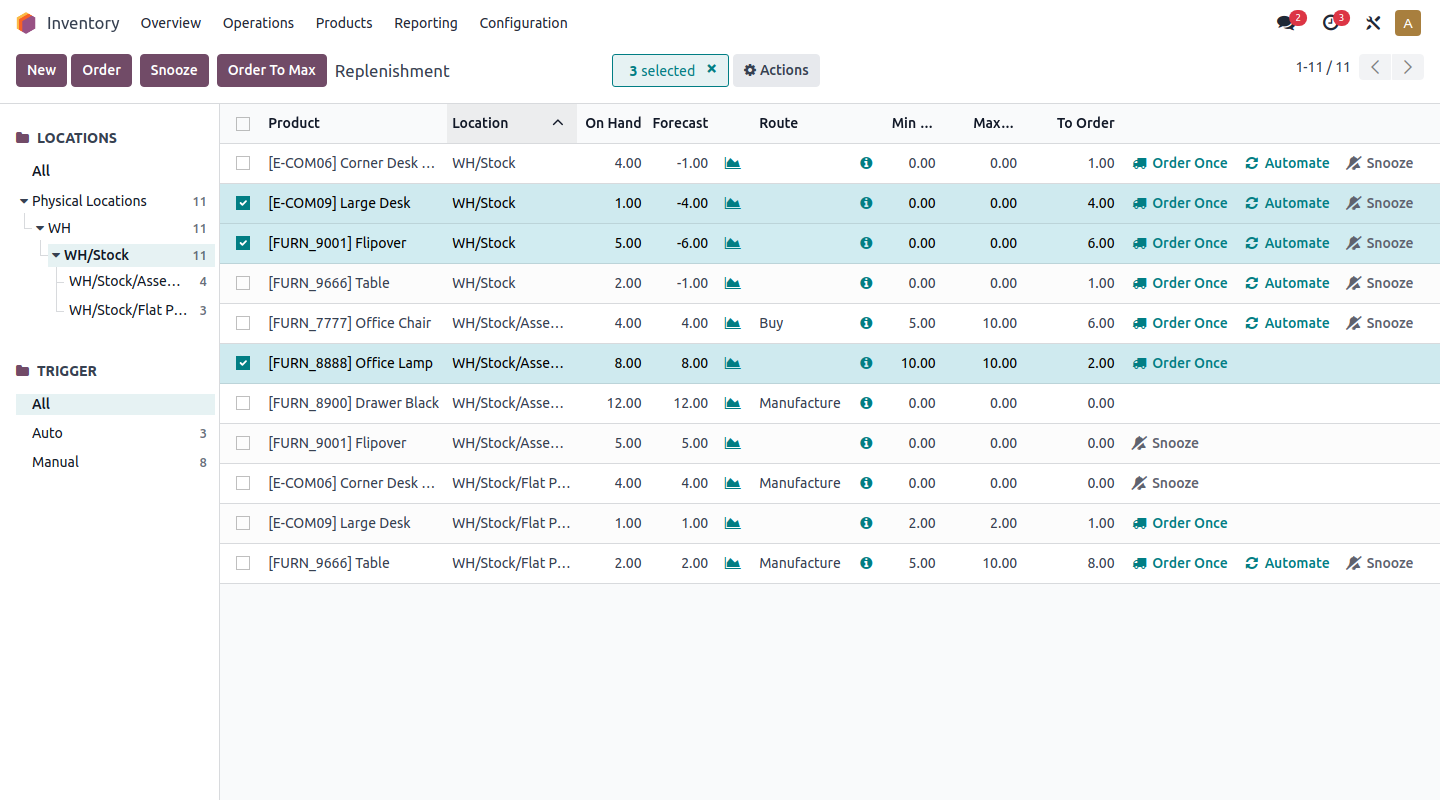
Odoo Inventory
Connect receipts, internal movements and deliveries with the stock your team needs to see. Warehouse locations and operating rules are configured around your actual flow of goods.
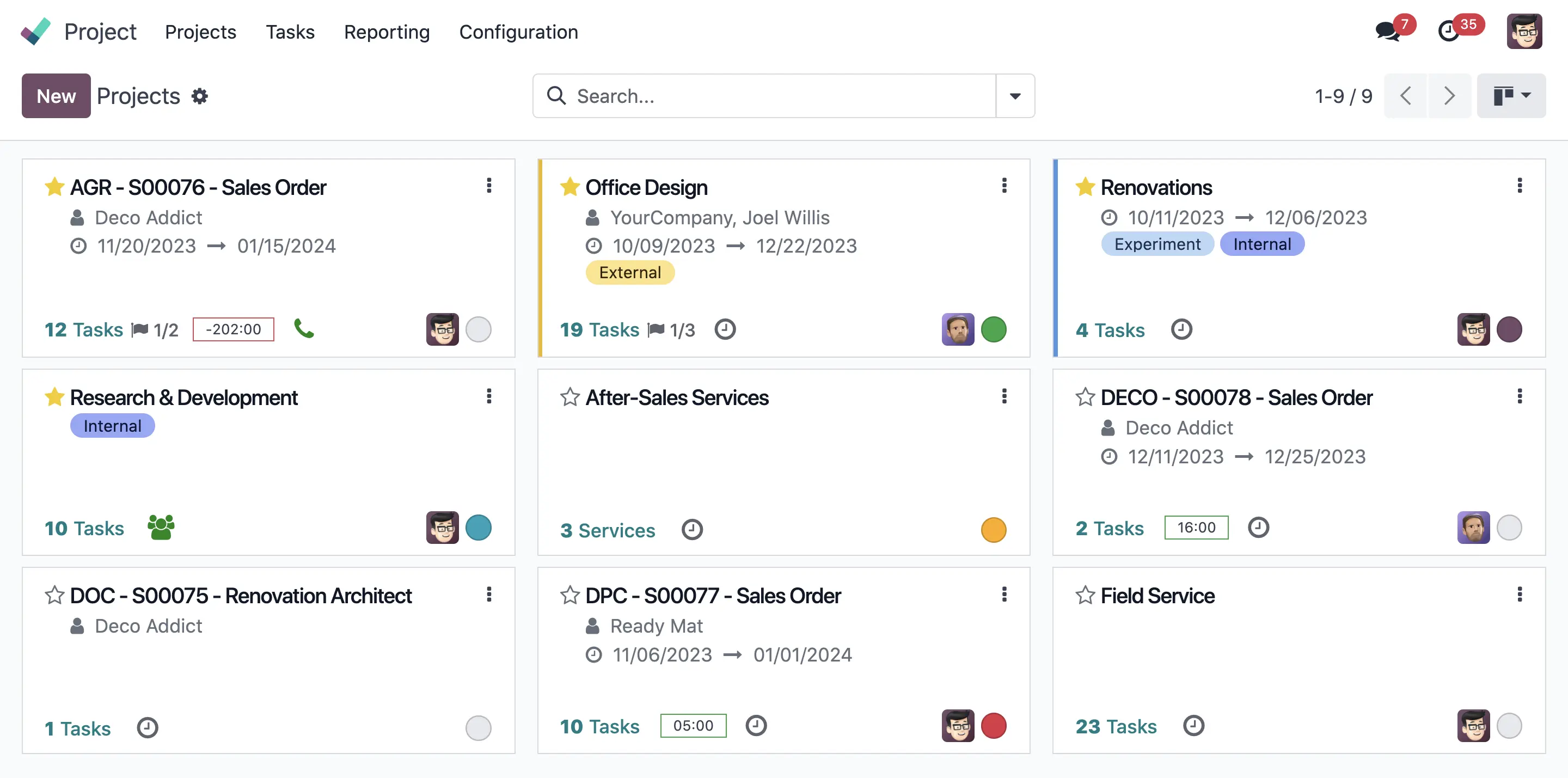
Odoo Project
Organize work into projects, stages and assigned tasks. A common view of responsibilities and progress helps delivery teams keep operational follow-up connected.
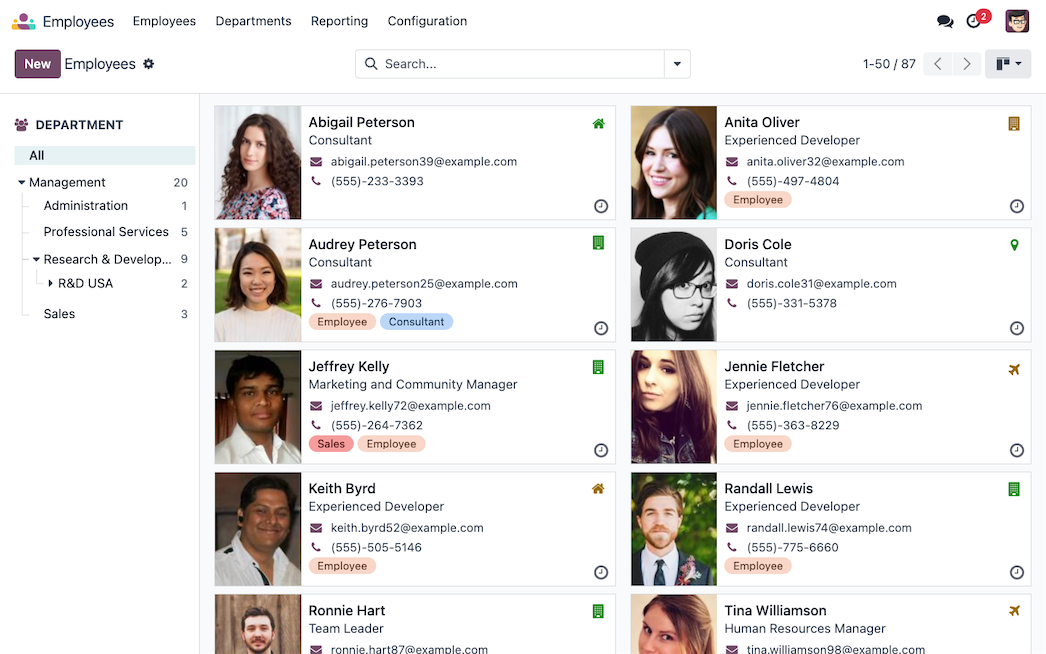
People, departments and responsibilities
Keep employee profiles, departments and skills in one directory. Arselor configures the structure, access permissions and supporting records so HR information connects with the way your company actually operates.
- Organized employee records
- Access appropriate to each role
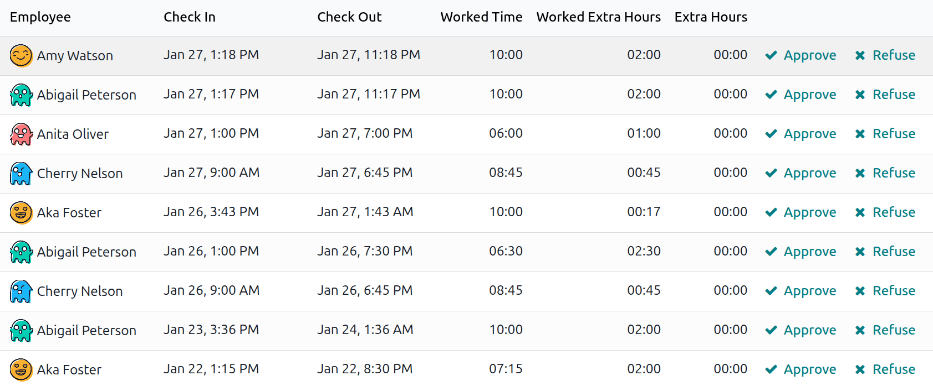
A clearer view of attendance
Review check-in, check-out, worked hours and overtime from the attendance management view. We help define the approval process and working schedules before connecting attendance to the broader HR workflow.
- Attendance and overtime review
- Defined approval responsibilities
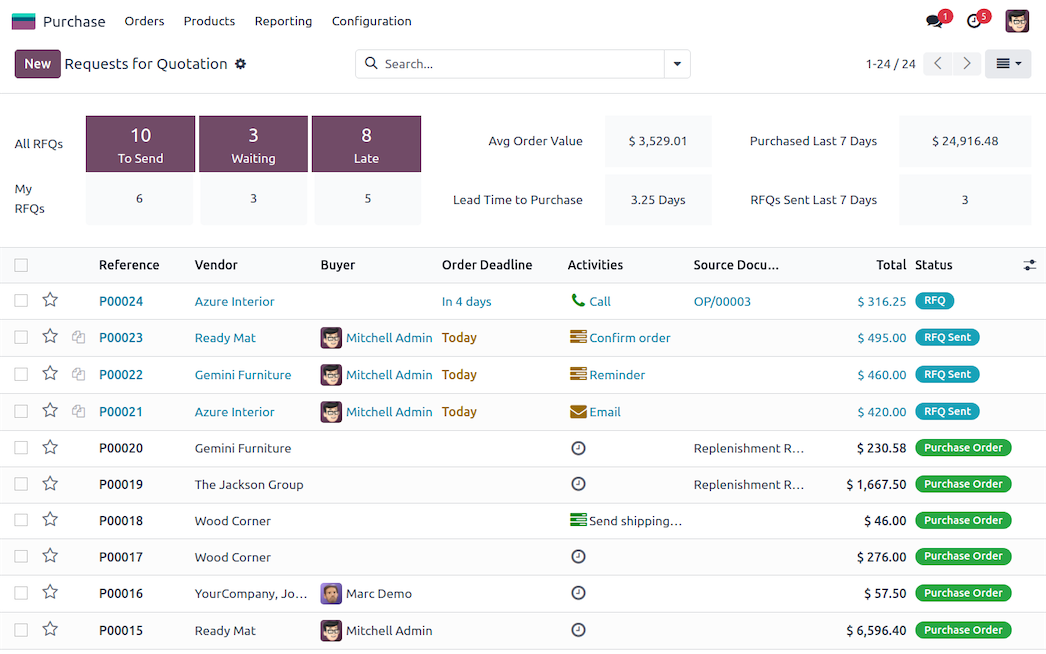
Purchase with visibility
Connect requests for quotation, purchase orders and replenishment. Arselor maps the purchasing cycle, supplier data and approval responsibilities, helping buyers follow each order from demand through receipt.
- Supplier quotations and comparisons
- Replenishment rules matched to stock
Understand what it can do for you.
Connect the full operation
Bring sales, purchasing, inventory and accounting into a connected operating model. We map your real process before choosing the apps and approvals.
Make the system fit your team
Configure roles, reports and workflows around the way you work. Integrations are scoped individually so information can move between Odoo and the systems you retain.
Launch with confidence
Data preparation, user testing and role-based training are part of the implementation conversation. A clear handover gives your team an owner for each critical process.
Choose a situation. Explore the possibilities.
Trading & distribution
Connect a quotation to stock availability, delivery and customer invoicing without re-entering the same information.
Discuss this use case- 01Opportunity
- 02Order
- 03Delivery
- 04Finance
Projects & contracting
Track purchasing, project costs, time and billing against the same project structure.
Discuss this use case- 01Opportunity
- 02Order
- 03Delivery
- 04Finance
Retail & multiple branches
Give branch teams shared product and stock information while keeping permissions appropriate to their responsibilities.
Discuss this use case- 01Opportunity
- 02Order
- 03Delivery
- 04Finance
From the first requirement to the final handover.
Business discovery and process mapping
Module setup, workflows and approvals
Data migration and version upgrades
ZATCA Phase 2 and third-party integrations
Role-based training and go-live assistance
Odoo AMC and continuous improvement
Build the ERP around your business processes.
Map the operating model
Connect departments, approval rules and data owners before choosing the modules to implement.
Configure and connect
Configure the selected applications, import agreed data and test the required integrations together.
Train by role and launch
Let each department validate its everyday transactions, then coordinate launch and post-launch assistance.
Choose your Odoo support plan.
Select up to two plans to compare their coverage.
Bronze
For teams that need occasional Odoo assistance.
Excluding VAT
Explore plan coverage +
- 3 low/medium requests per month · 36 per year
- 1 high-priority + 1 critical request per year
- 3 account creation or change requests
- Monthly monitoring and reporting
- Quarterly basic system check and cleanup
- Remote diagnosis and user guidance
Support during Arselor business hours.
Silver
For active teams with recurring support needs.
Excluding VAT
Explore plan coverage +
- 10 low/medium requests per month · 120 per year
- 3 high-priority + 1 critical request per year
- 3 account creation or change requests
- Monthly detailed system health report
- Quarterly diagnostics and database optimization
- Security-patch verification and remote guidance
Support during Arselor business hours.
Gold
For businesses needing closer oversight and escalation cover.
Excluding VAT
Explore plan coverage +
- Unlimited low/medium requests
- Up to 6 high-priority + 3 critical requests per year
- Up to 10 account changes
- Monitoring every two weeks
- Maintenance every two months
- Remote and agreed onsite support within 80 km
24/7 coverage for high and critical incidents.
Platinum
For organizations that need the broadest Odoo support coverage.
Excluding VAT
Explore plan coverage +
- Unlimited low, medium and high-priority requests
- Up to 6 critical requests per year
- Unlimited account administration
- Weekly system monitoring
- Monthly preventive maintenance
- 2 onsite visits per year within 80 km
24/7 coverage for high and critical incidents.
Annual commitment. Coverage and service targets follow your contract. Business hours: Sunday–Thursday, 8:30 AM–4:30 PM KSA.
Before you decide
Do we need every Odoo application?
No. We select applications around your processes and phase the rollout according to dependencies and priorities.
Can Odoo connect to our existing systems?
We assess the available APIs, data ownership and required behavior before confirming each integration.
Build the rest of the picture.

Software, chatbots & automation
Custom software, Odoo–WhatsApp integration and customer-care workflows that connect enquiries, teams and business records.
Turn everyday conversations into connected workflows.
- Start with the manual task
- Connect the systems you use
- Make the workflow maintainable
Route requests to the appropriate approver and keep a record of decisions and follow-up.

IT consultancy & training
Technology planning, infrastructure reviews, digital governance and practical training aligned with your business priorities.
Make technology decisions with a clear business purpose.
- Understand the business requirement
- Compare realistic options
- Build a sequenced roadmap
Clarify requirements and compare alternatives before committing to a platform or supplier.


Odoo migration & upgrades
Assess an older Odoo environment, prepare data and customizations, test the upgraded database and guide the move into production.
Move your ERP forward with a clear transition plan.
- Know what is moving
- Test business processes first
- Make the cutover deliberate
Review the upgrade route and custom-module compatibility before moving the production database.
Bring us the challenge. Let’s plan the way forward.
A focused conversation with the right Arselor specialist.