Release Notes
Release Version: 18.0.0.0.0
Release Date: 2026-08-30

Provision, manage, bill and reconcile through a governed Odoo workflow connected directly to Crayon Cloud-iQ.
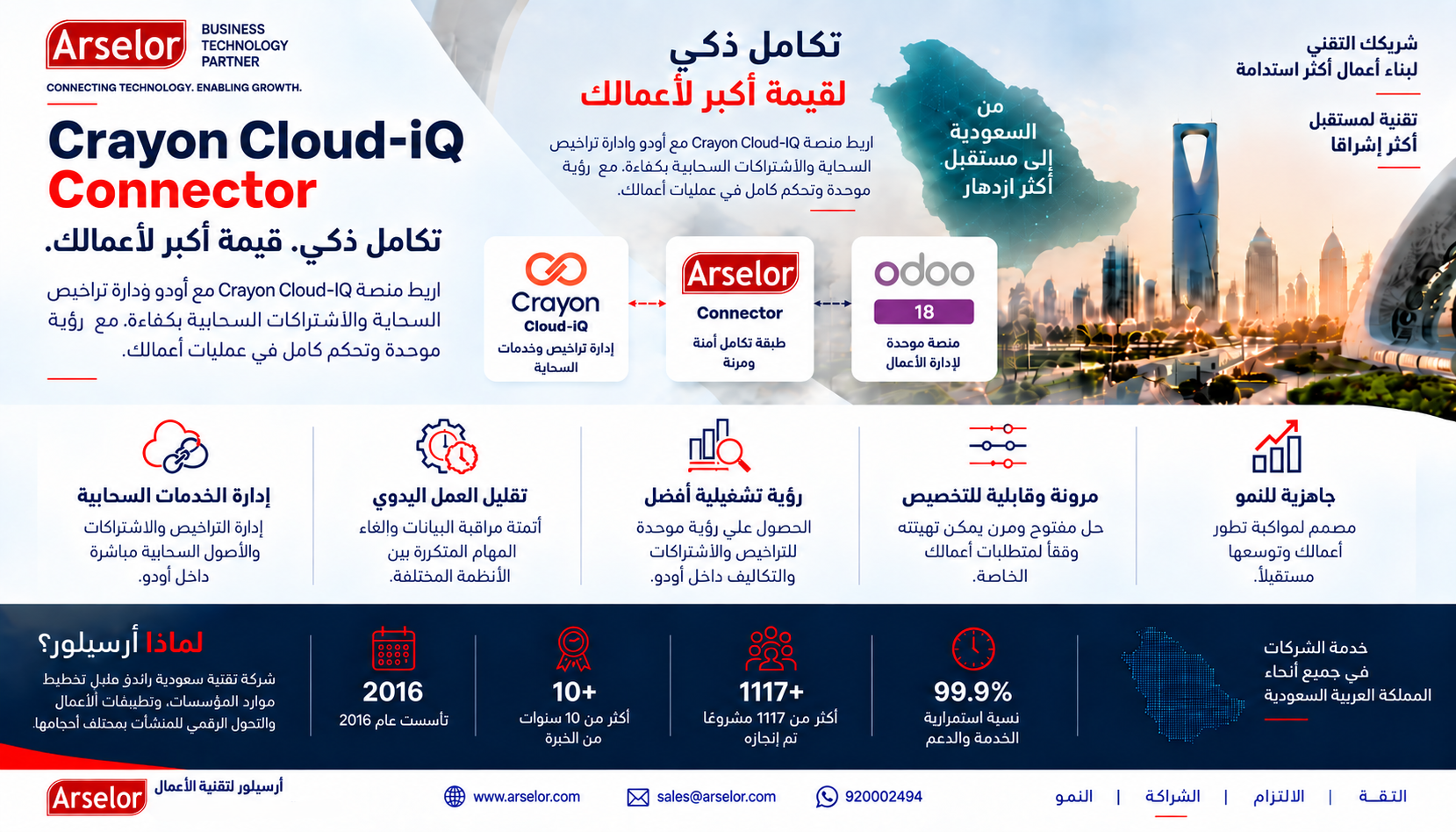
Provision, manage, bill and reconcile through a governed Odoo workflow connected directly to Crayon Cloud-iQ.
Designed for Microsoft CSP resellers and managed service providers that want customer tenant, subscription and provider-billing operations visible in Odoo.
Community & Enterprise
No additional middleware required by this connector
Company-scoped configuration and operations
Invoice, order, profile and reconciliation context
A complete operational connector package, not only an API call.
Direct Odoo-to-Crayon communication for supported connector operations.
Keep Crayon tenant relationships visible against Odoo customers.
Maintain billing-profile traceability through Order ID and Billing Statement data.
Review and manage supported subscription lifecycle operations from Odoo.
Import Crayon billing into Odoo with duplicate protection and source identifiers.
Compare provider source totals with Odoo values before controlled posting.
Correlation IDs, redacted API diagnostics and unknown-result protection.
A complete user guide covering setup, operations, billing and troubleshooting.
Connector-related support through email and WhatsApp channels.
The connector is designed as a two-way operational workflow between Odoo and Crayon Cloud-iQ.
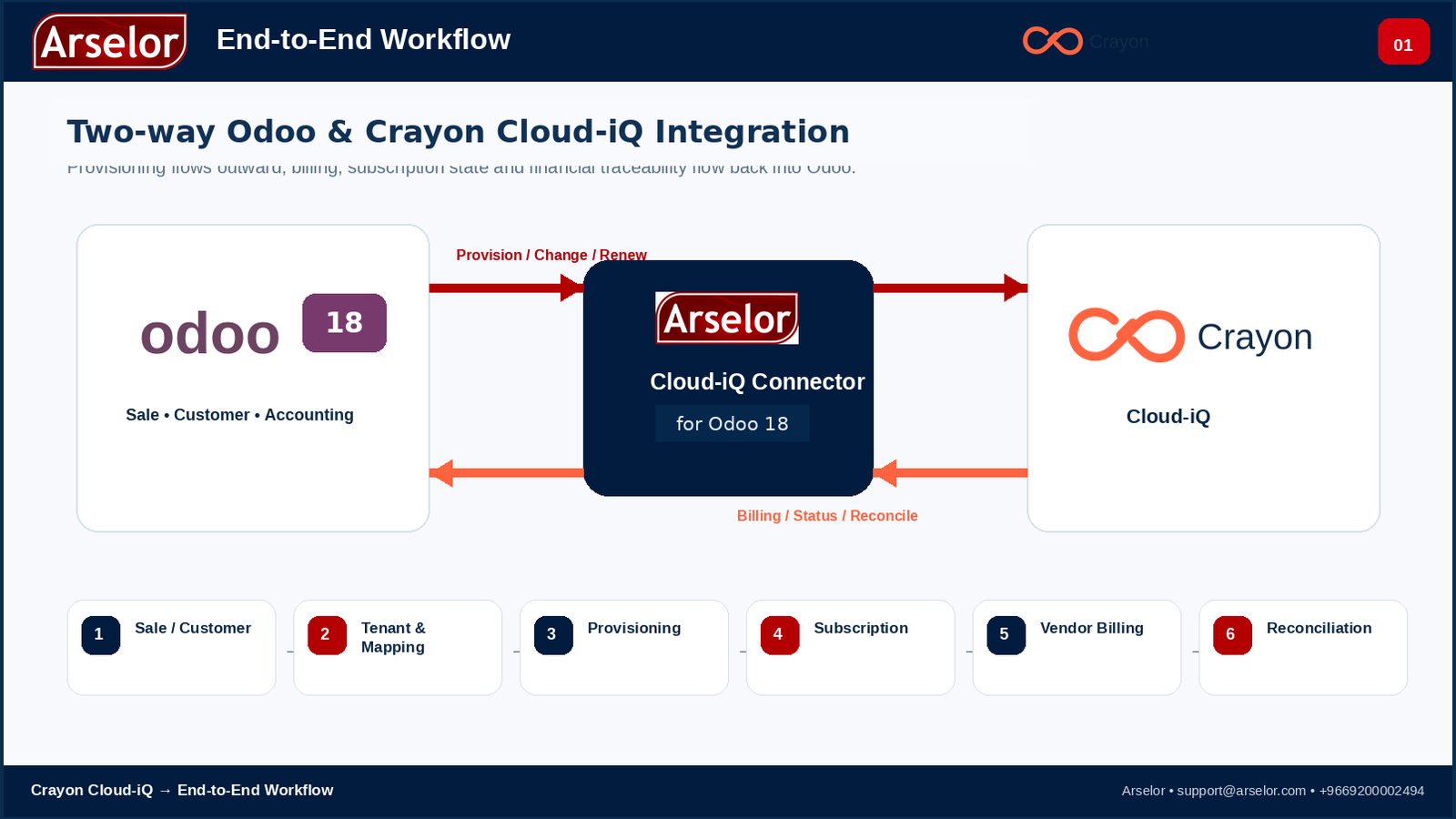
Operational controls mapped to the screens where your team actually uses them.
| Feature | Where You Use It | Purpose |
|---|---|---|
| API Setup | Connector Configuration | Credentials, organization scope, safety and accounting controls. |
| Tenant Linking | Customer Tenants | Relate Crayon tenant identities to the correct Odoo customer. |
| Invoice Profile | Customer Tenants / Vendor Bills | Trace customer billing profiles without guessing ambiguous tenant mappings. |
| Provisioning | Sales Orders / Provisioning Preview | Review tenant, SKU, quantity and commercial context before external writes. |
| Subscription Operations | Subscriptions | Review lifecycle state and perform supported controlled operations. |
| Billing Import | Import Vendor Bills | Bring Crayon vendor billing into Odoo with duplicate protection. |
| Reconciliation | Vendor Bill | Compare provider source values, variance and posting readiness. |
| Troubleshooting | Safe API Logs | Use redacted diagnostics and correlation IDs for support evidence. |
Review the main operational areas before you buy.
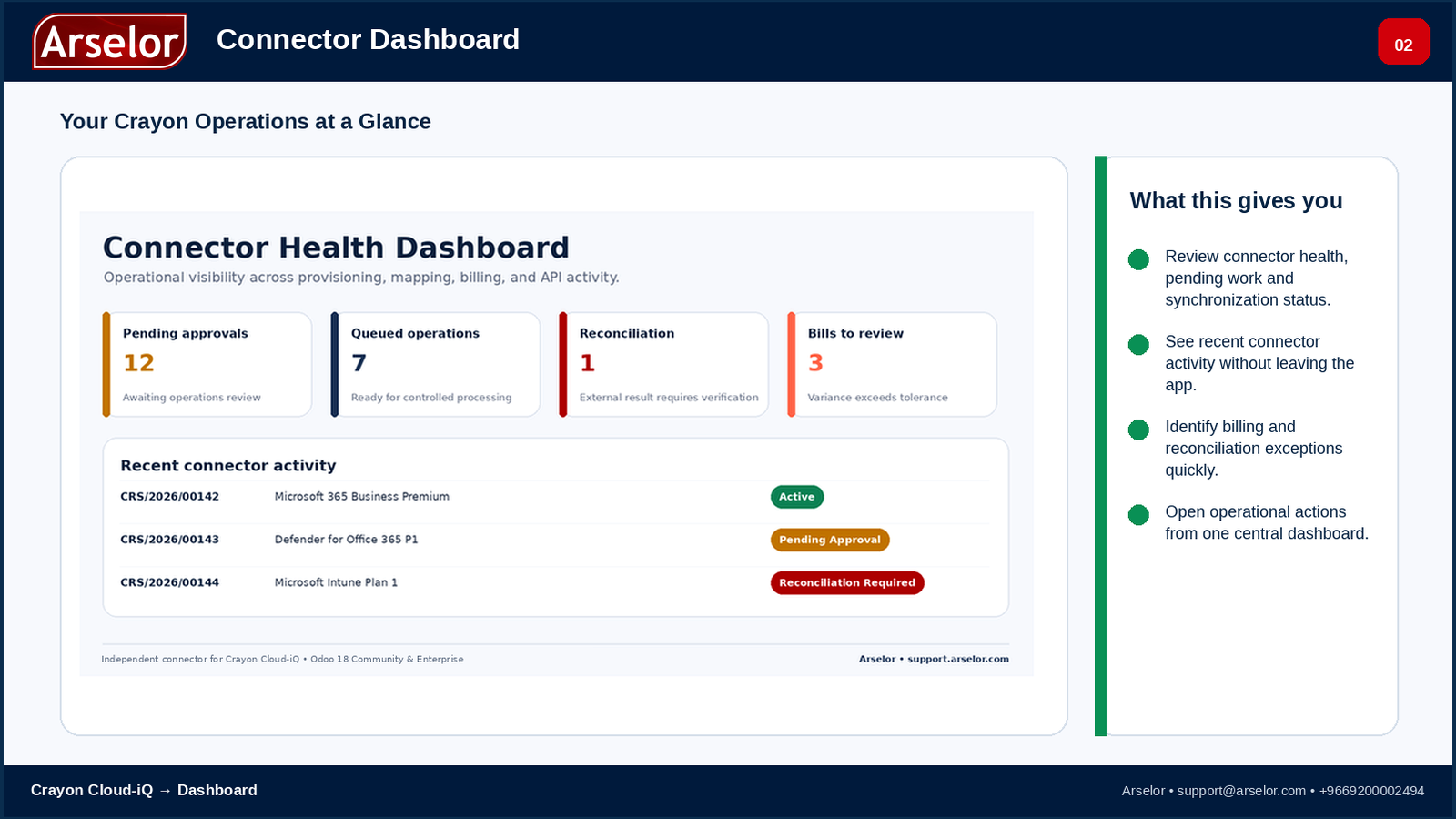
Connector Dashboard - monitor health, pending operations, activity and billing exceptions.
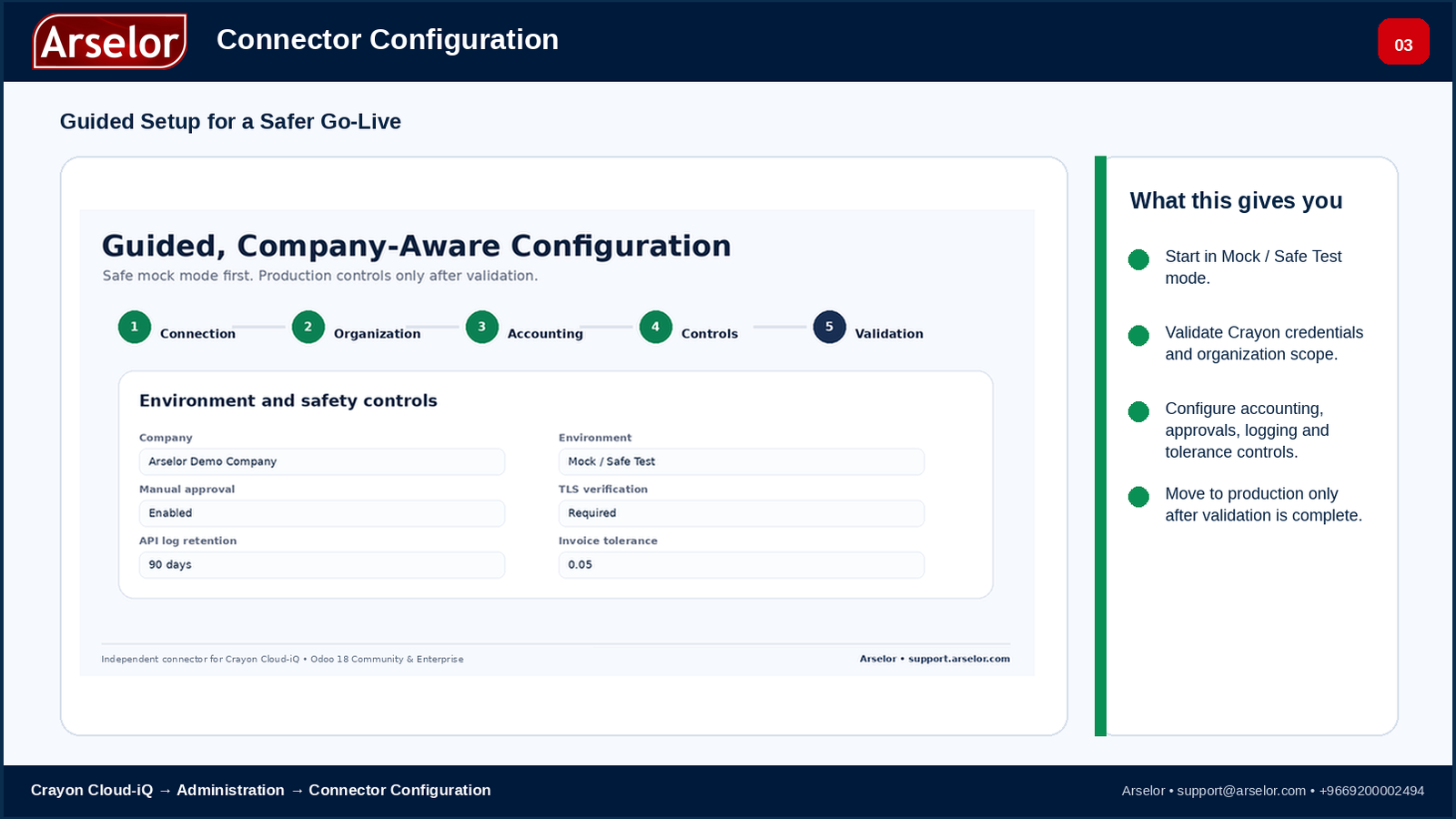
Connector Configuration - guided setup, Mock / Safe Test controls and production validation.

Catalog & Product Mapping - connect provider catalog references to controlled Odoo products.

Customer Tenants & Invoice Profiles - keep customer, tenant and billing-profile relationships visible.
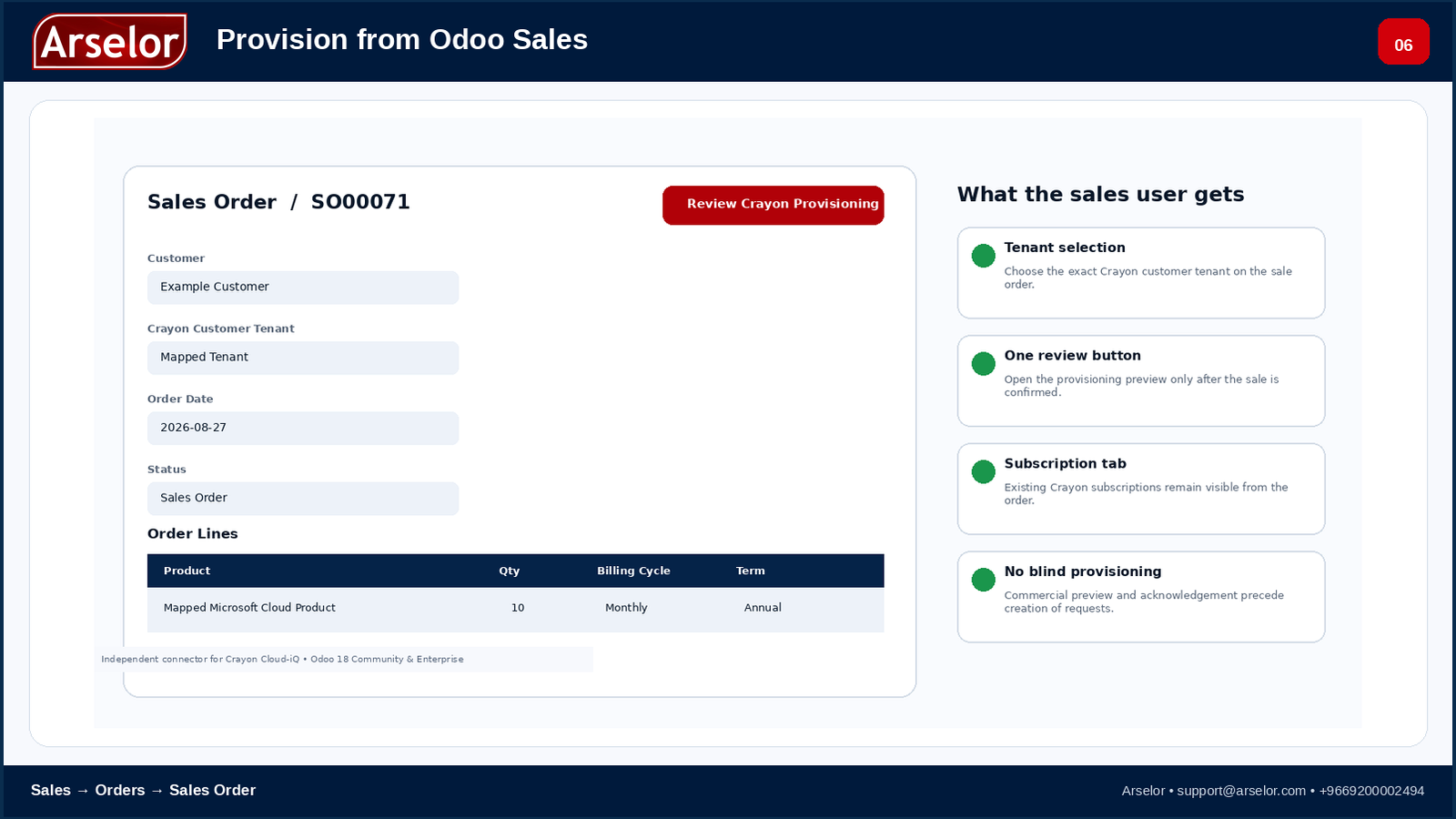
Sales Order Provisioning - start controlled provisioning from the commercial workflow.
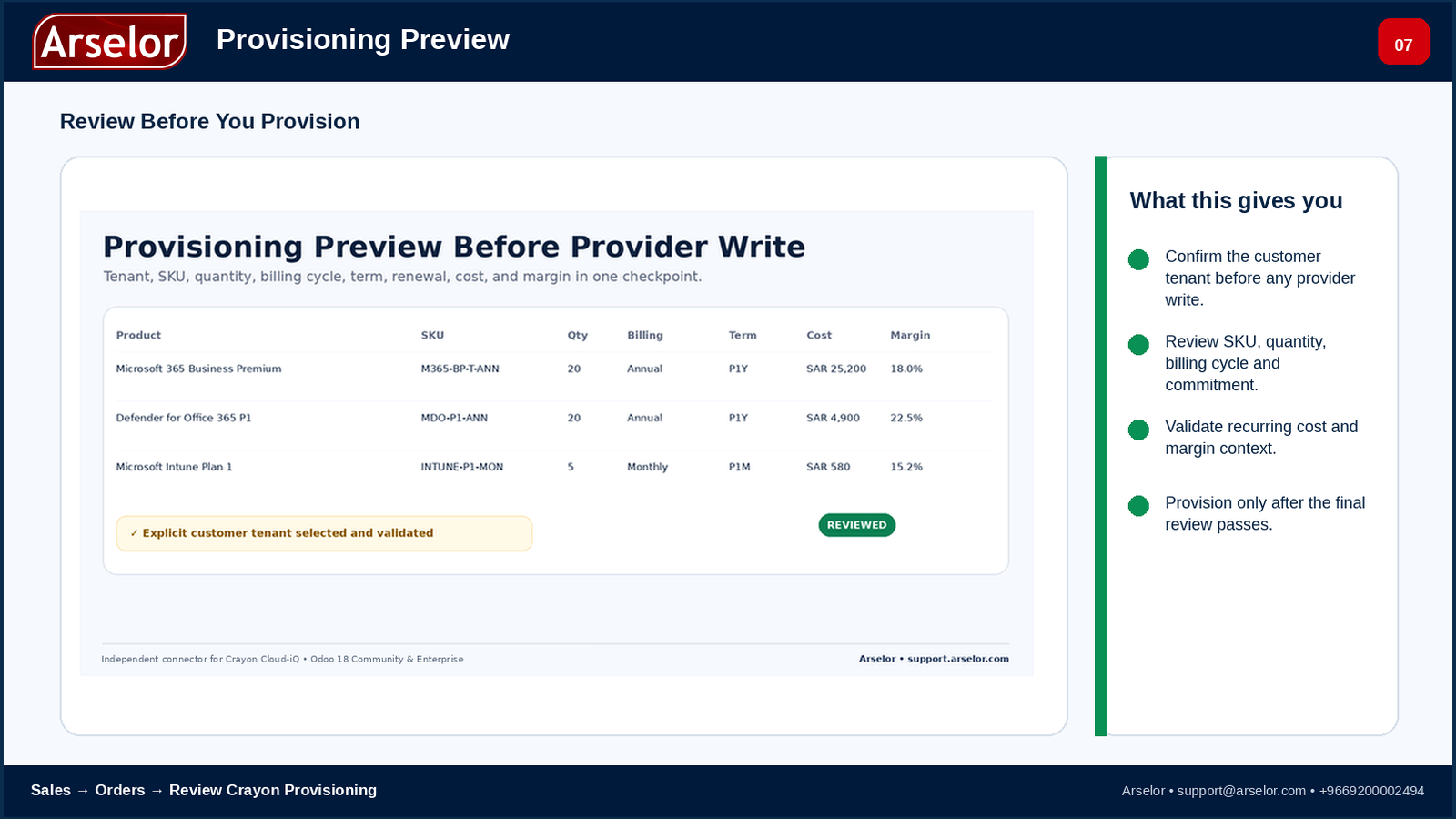
Provisioning Preview - review tenant, SKU, quantity, billing cycle and commitment before provider write.
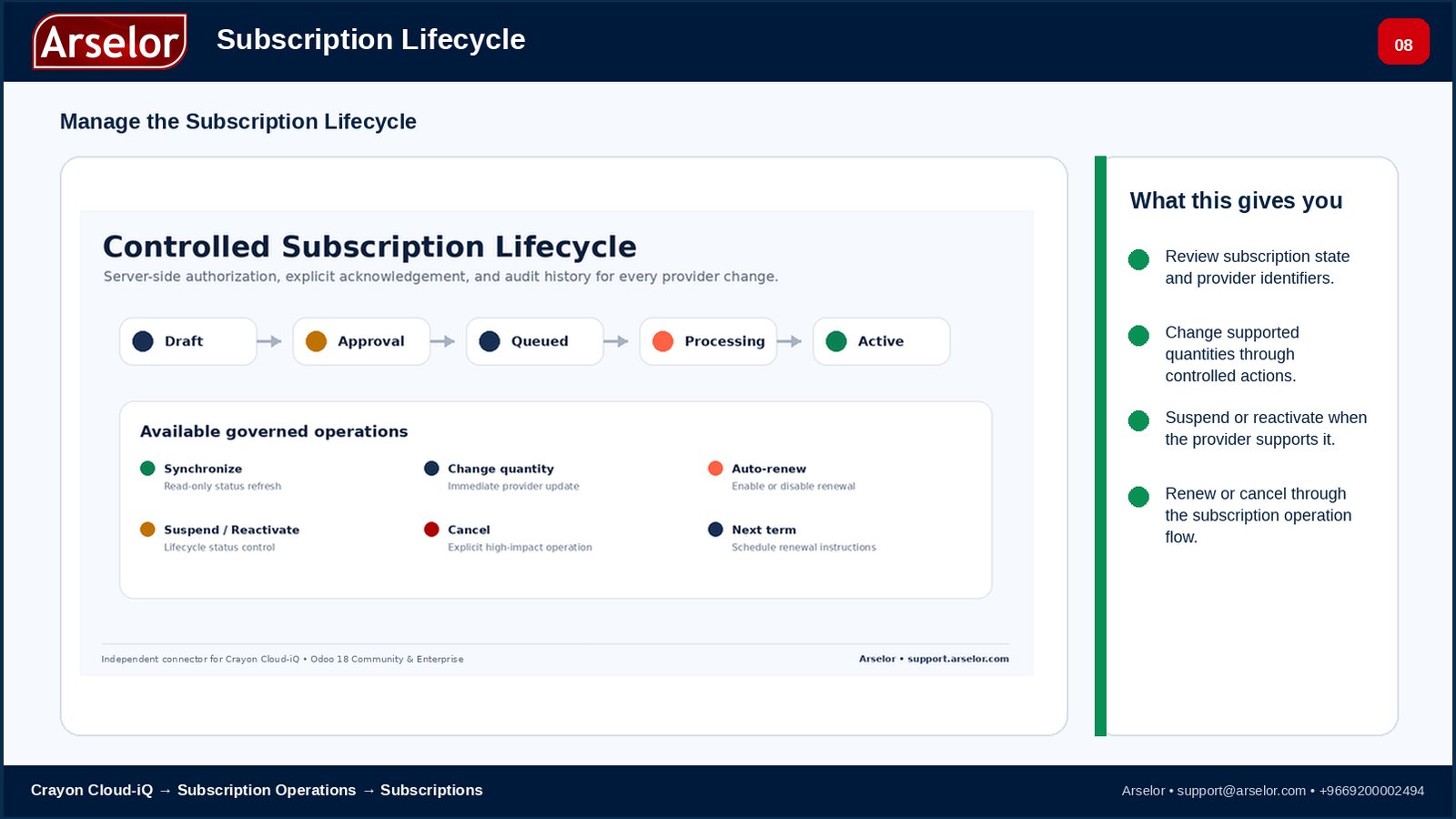
Subscription Lifecycle - review state and perform supported quantity, suspension, reactivation, renewal or cancellation operations.
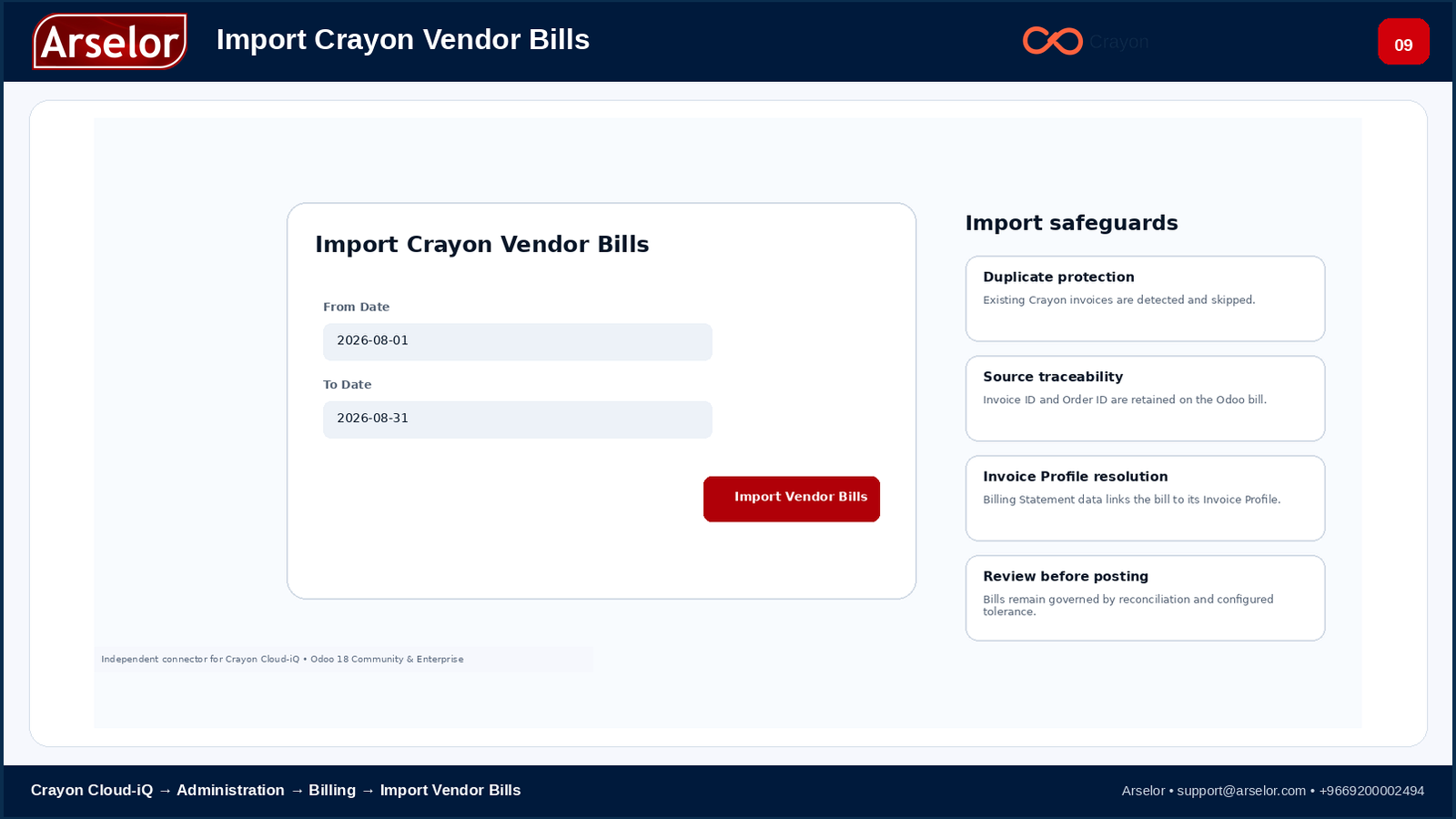
Vendor Bill Import - synchronize Crayon billing while protecting Odoo from duplicate bill creation.
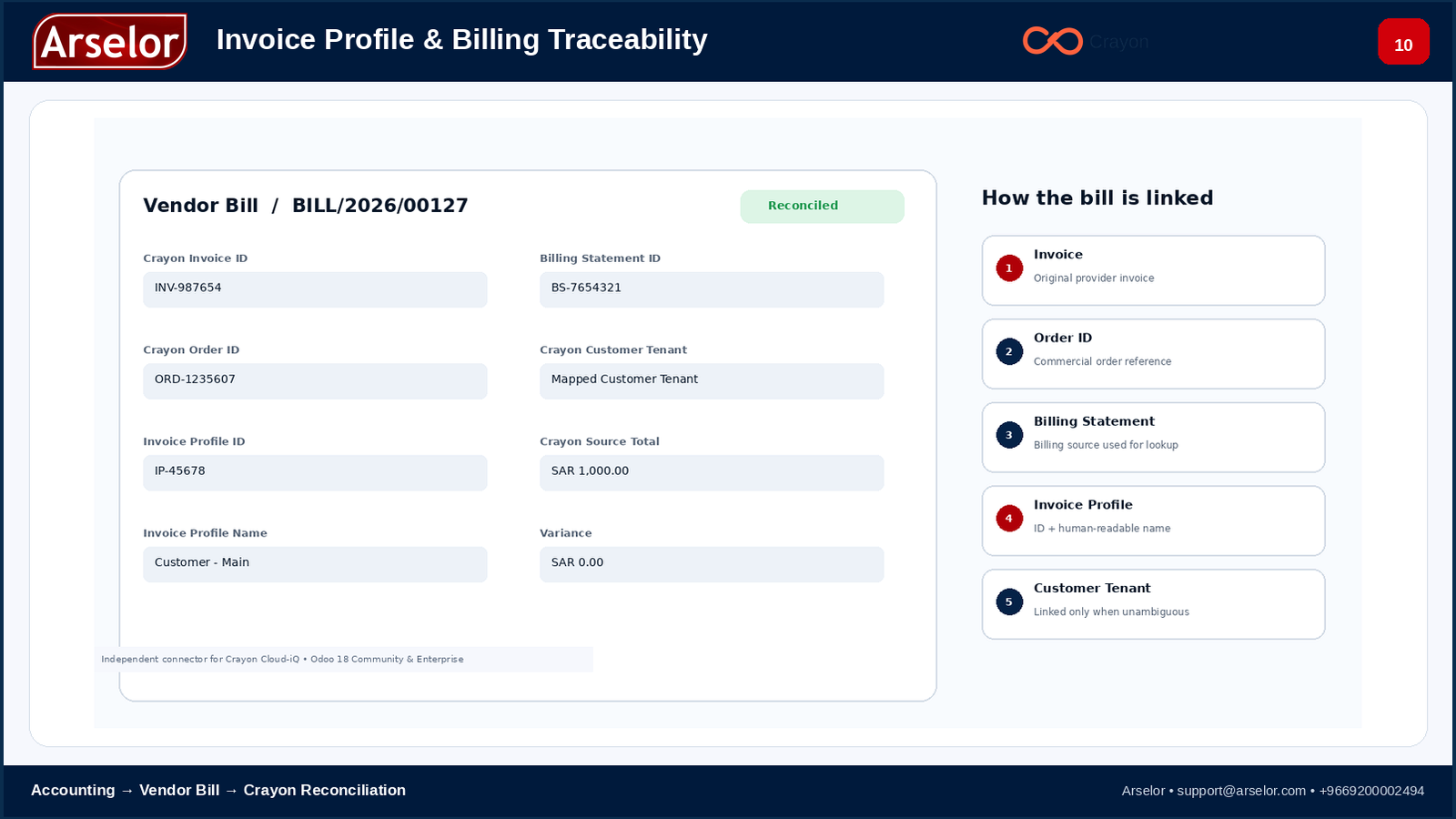
Invoice Profile & Billing Traceability - Invoice → Order ID → Billing Statement → Invoice Profile → Customer Tenant.
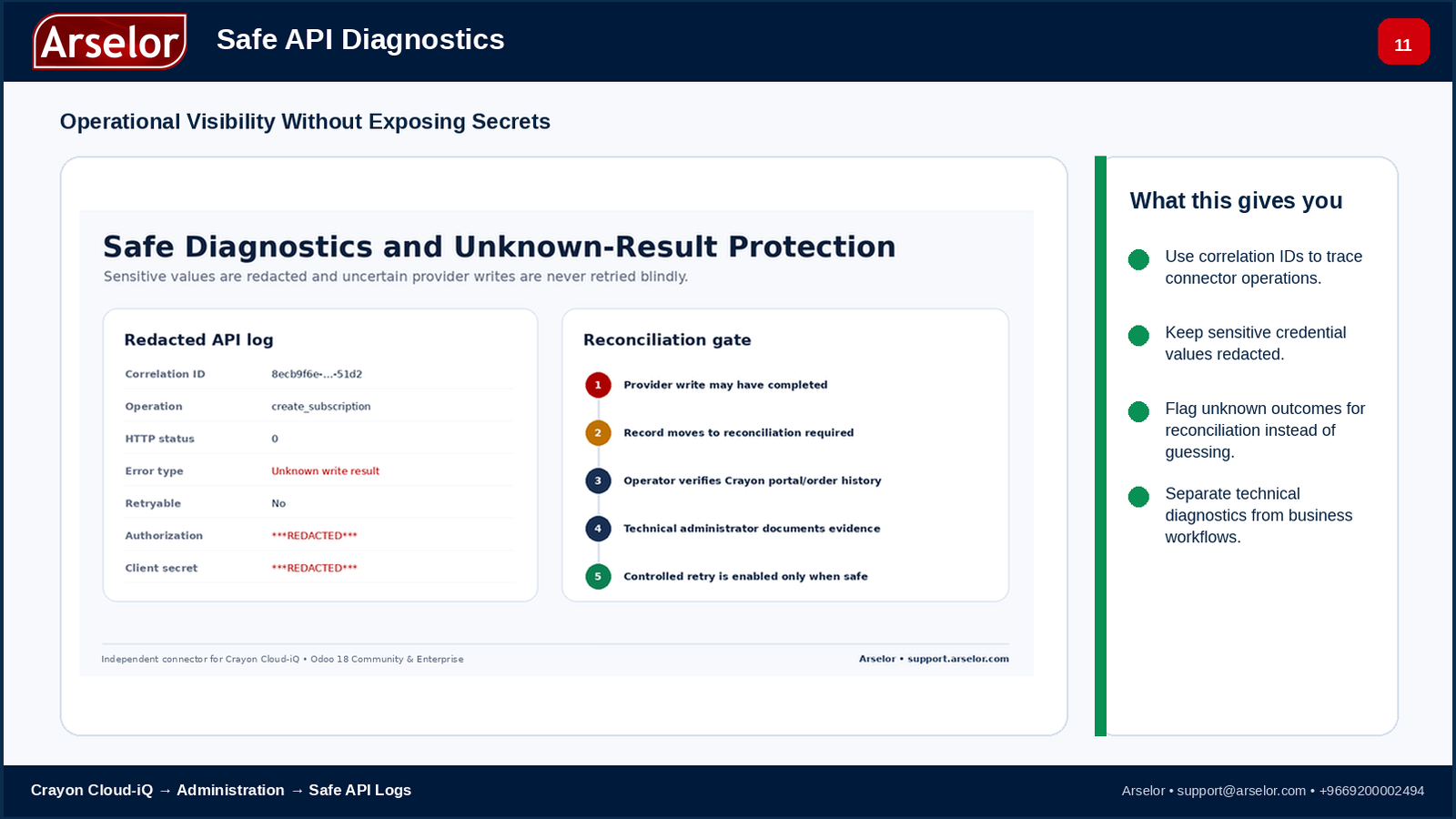
Safe API Diagnostics - troubleshoot connector operations without exposing credential secrets.
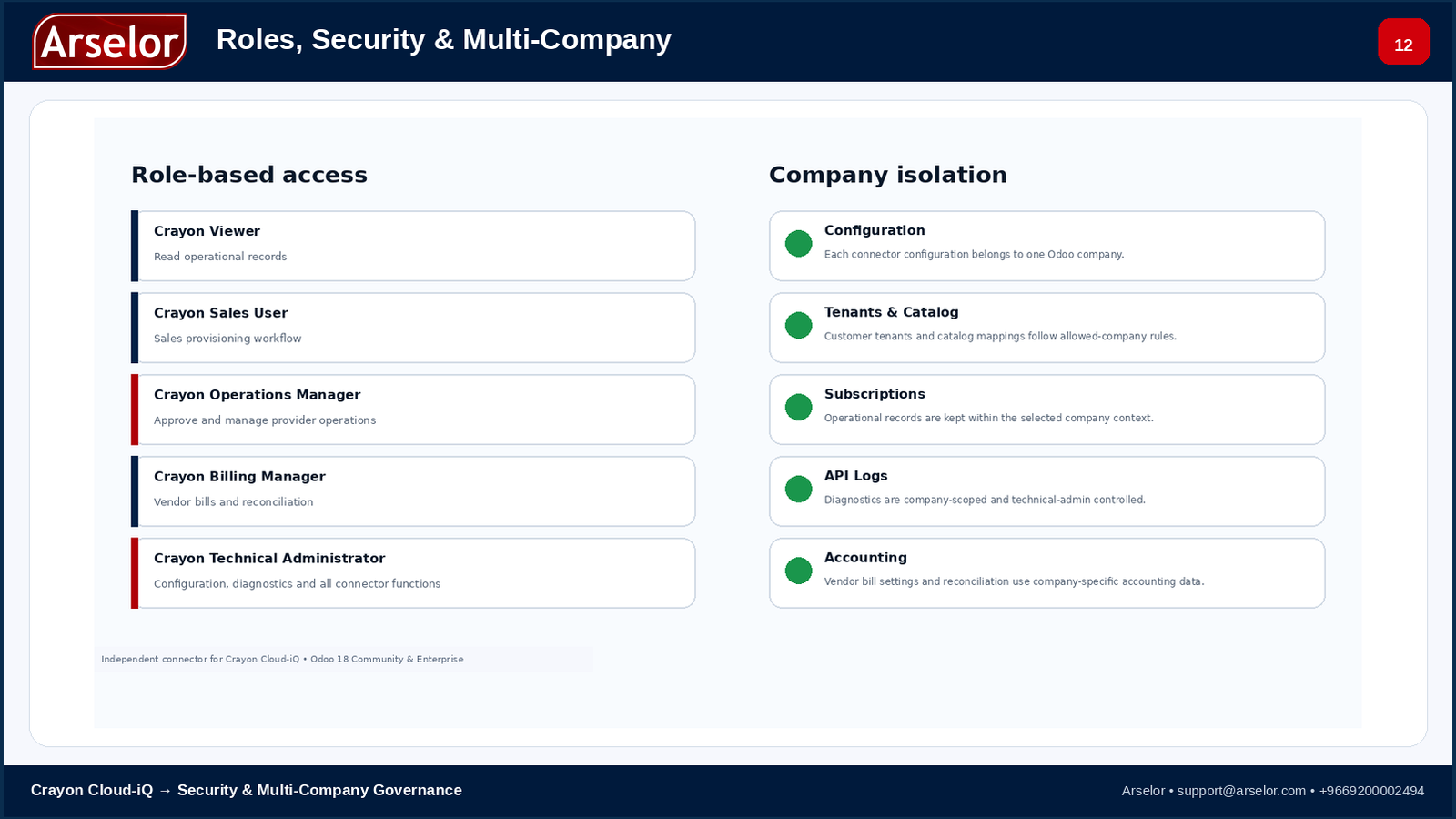
Roles, Security & Multi-Company - separate operational responsibility and company-scoped records.
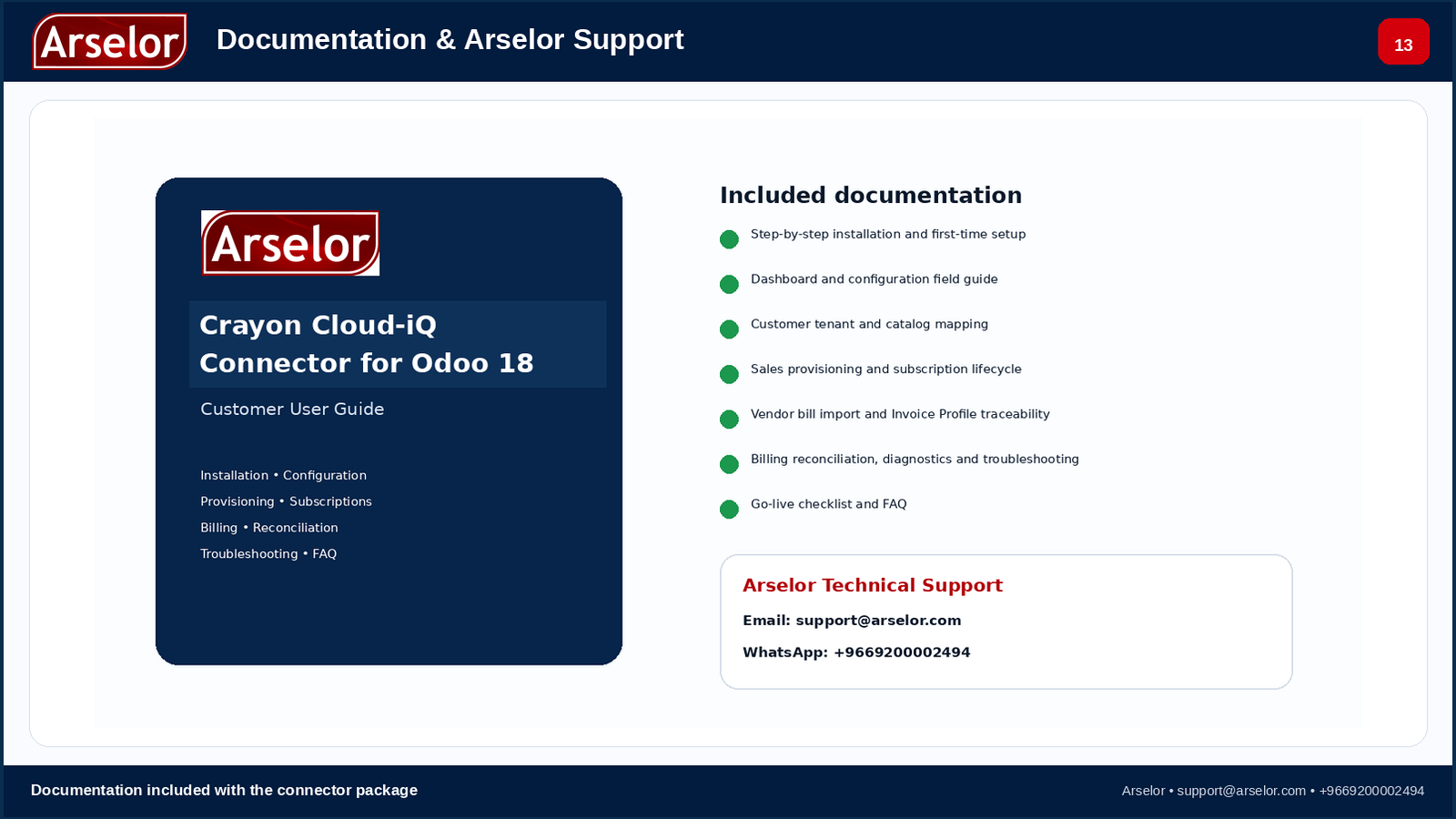
Documentation & Arselor Support - customer operating guidance is included in the package.
Complete Odoo 18 operating documentation is available with this listing and covers installation, configuration, provisioning, subscriptions, vendor billing, Invoice Profiles, reconciliation, diagnostics and support.
The full PDF user guide is included inside the connector package after download.
Use the Odoo Apps documentation for pre-purchase guidance. No external download link is required.
You should have:
Native Odoo Workflow
Commercial, operational and billing context remains visible in Odoo.
Direct API Architecture
No additional middleware layer is required by this connector.
Financial Traceability
Invoice → Order → Billing Statement → Invoice Profile relationships are retained where available.
Controlled External Writes
Preview and governance controls are used before supported provider operations.
Operational Recovery
Diagnostics and reconciliation controls help teams review uncertain outcomes safely.

Technical support for connector installation, configuration and connector-related issues.
Email: [email protected]
WhatsApp: +9669200002494
This application is developed by Arselor. Crayon, Microsoft, Odoo and their respective product names and marks belong to their owners. Their use in this listing identifies interoperability and does not imply endorsement, affiliation or sponsorship unless separately documented.
Release information published for this app and Odoo version.
Release Version: 18.0.0.0.0
Release Date: 2026-08-30
USD price checked . Saudi riyal equivalents use an exchange rate of 3.75 SAR per dollar. Final price, taxes and terms are confirmed at Odoo Apps Store checkout.
arselor_crayon_connectorOdoo Proprietary License v1.0 This software and associated files (the "Software") may only be used (executed, modified, executed after modifications) if you have purchased a valid license from the authors, typically via Odoo Apps, or if you have received a written agreement from the authors of the Software (see the COPYRIGHT file). You may develop Odoo modules that use the Software as a library (typically by depending on it, importing it and using its resources), but without copying any source code or material from the Software. You may distribute those modules under the license of your choice, provided that this license is compatible with the terms of the Odoo Proprietary License (For example: LGPL, MIT, or proprietary licenses similar to this one). It is forbidden to publish, distribute, sublicense, or sell copies of the Software or modified copies of the Software. The above copyright notice and this permission notice must be included in all copies or substantial portions of the Software. THE SOFTWARE IS PROVIDED "AS IS", WITHOUT WARRANTY OF ANY KIND, EXPRESS OR IMPLIED, INCLUDING BUT NOT LIMITED TO THE WARRANTIES OF MERCHANTABILITY, FITNESS FOR A PARTICULAR PURPOSE AND NONINFRINGEMENT. IN NO EVENT SHALL THE AUTHORS OR COPYRIGHT HOLDERS BE LIABLE FOR ANY CLAIM, DAMAGES OR OTHER LIABILITY, WHETHER IN AN ACTION OF CONTRACT, TORT OR OTHERWISE, ARISING FROM, OUT OF OR IN CONNECTION WITH THE SOFTWARE OR THE USE OR OTHER DEALINGS IN THE SOFTWARE.
Crayon Cloud-iQ Connector is an independent Odoo 18 integration developed by Arselor for organizations that use Crayon Cloud-iQ to manage Microsoft cloud subscriptions and provider billing.
The connector brings customer tenant mapping, provisioning controls, subscription lifecycle operations, vendor billing, financial reconciliation, and safe API diagnostics into Odoo.
The application is designed for:
A valid Crayon Cloud-iQ account with the required API access and commercial eligibility is required. The application does not provide Crayon accounts, Microsoft licenses, or third-party commercial entitlements.
Recommended setup order:
Before sending a provider write, the connector can validate and preview:
If Odoo sends a provider request but cannot confirm whether the provider completed it, the connector does not blindly repeat the request. The operation moves to Reconciliation Required so a technical administrator can verify provider history before any controlled retry.
The subscription workflow supports governed lifecycle operations where allowed by the provider, including synchronization, quantity changes, auto-renew handling, suspend/reactivate, cancellation, and next-term instructions.
The connector can import Crayon vendor invoices and credit notes into Odoo with duplicate protection, source-total comparison, configurable variance tolerance, and review controls before posting.
For each imported invoice, the connector uses the Crayon Order ID to resolve the related Billing Statement and Invoice Profile. The vendor bill stores the Invoice Profile ID and name, the Billing Statement ID, and a direct Crayon Customer Tenant link when the profile maps to exactly one imported tenant. Re-running a historical invoice period can backfill this metadata onto existing vendor bills without recreating them.
The connector includes company-scoped record rules, role-based access, server-side authorization checks, redacted API diagnostics, correlation IDs, retention controls, and controlled retry safeguards.
Email: [email protected]
WhatsApp: +9669200002494
The full branded PDF User Guide is included with the purchased application and is also available from the application description page.
This is an independent connector developed by Arselor. Crayon, Microsoft, Odoo, and their respective product names and marks belong to their owners. Their use identifies interoperability and does not imply endorsement or affiliation unless separately documented.
Tell us where work slows down. Let’s explore how the right app from Odoo Apps Store can help your team move forward.
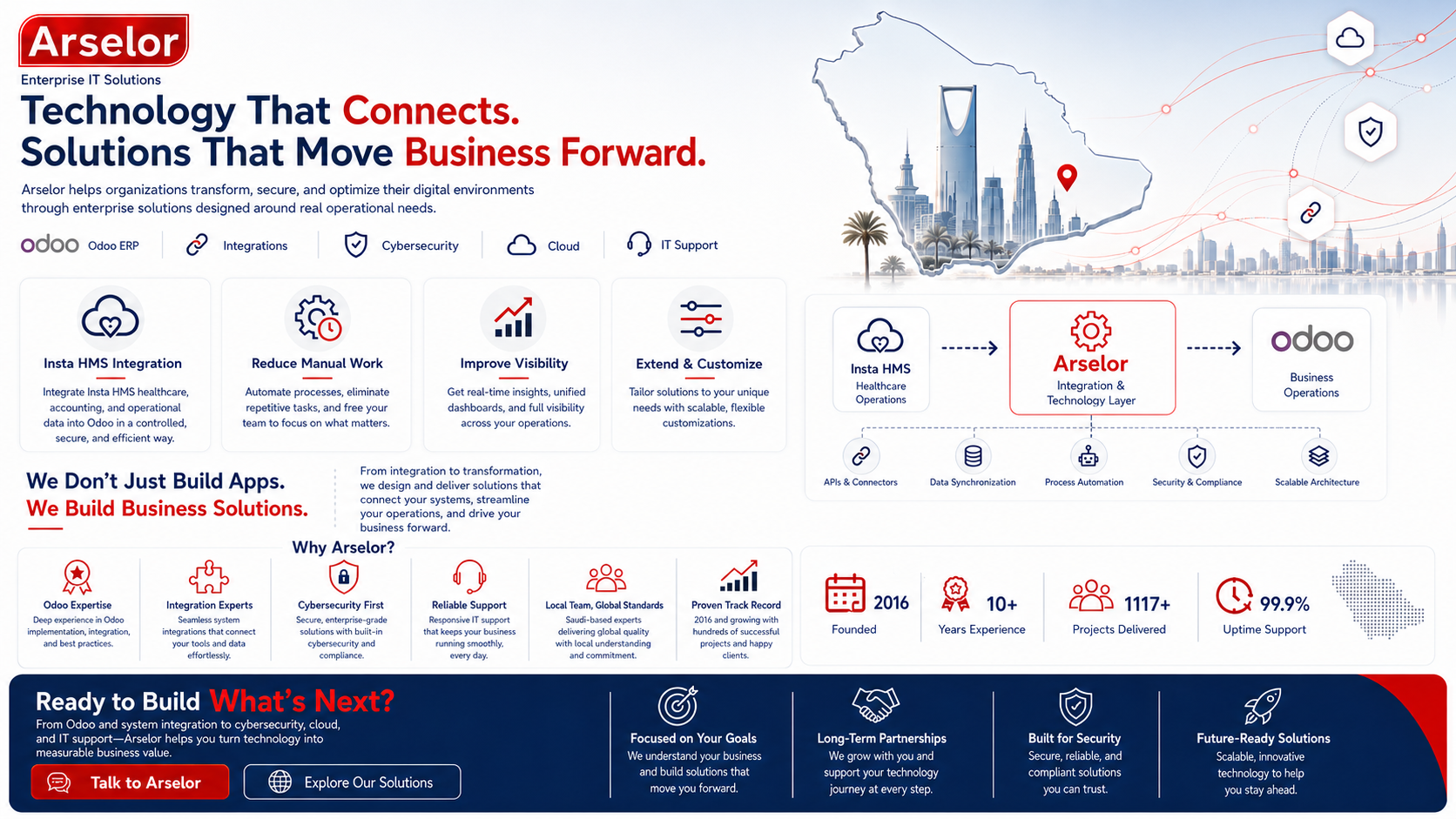
One-way synchronization from Insta HMS by Practo to Odoo 17 Community & Enterprise.
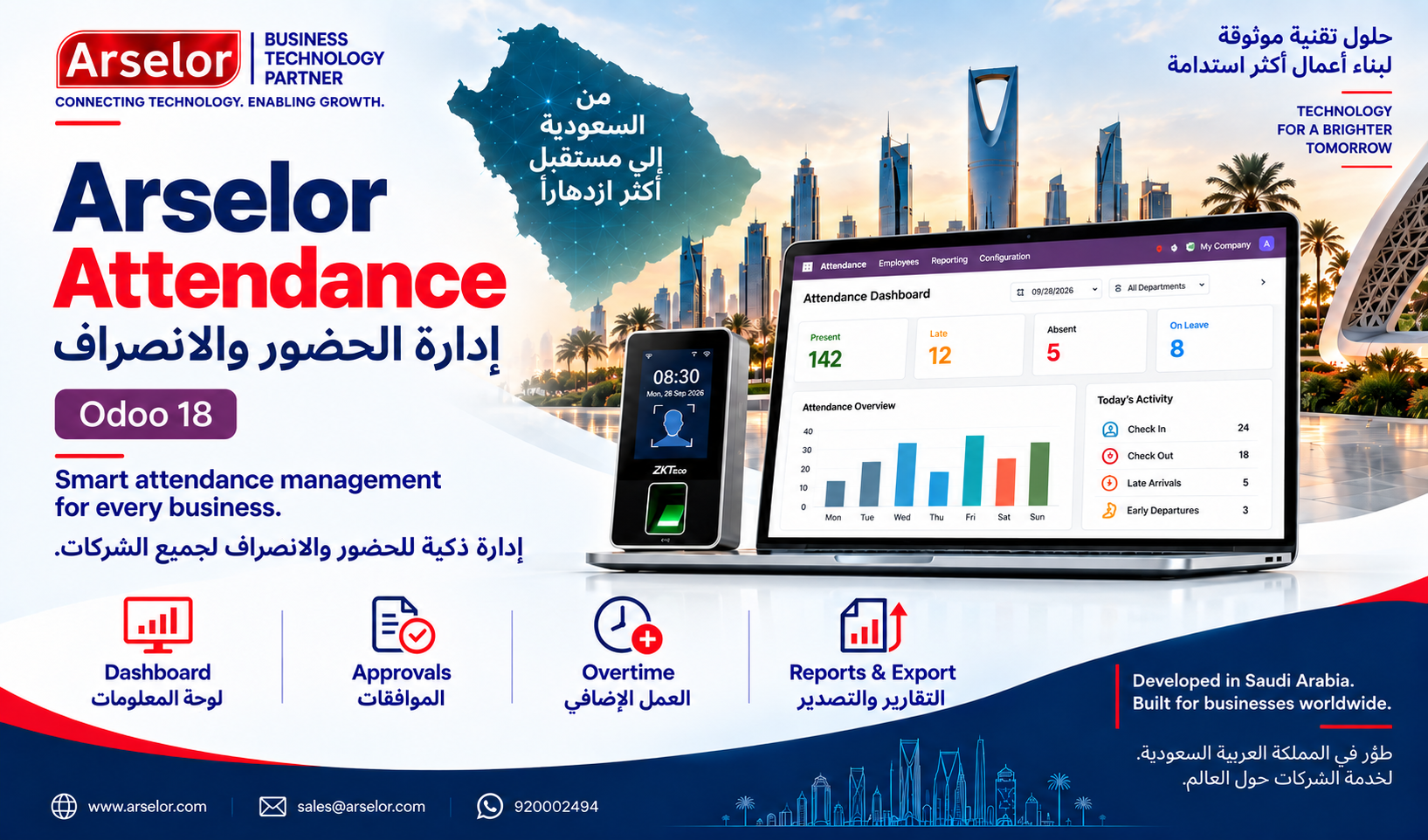
Smart attendance monitoring, exception review, biometric-device workflows, and payroll-ready reporting for Odoo 18.
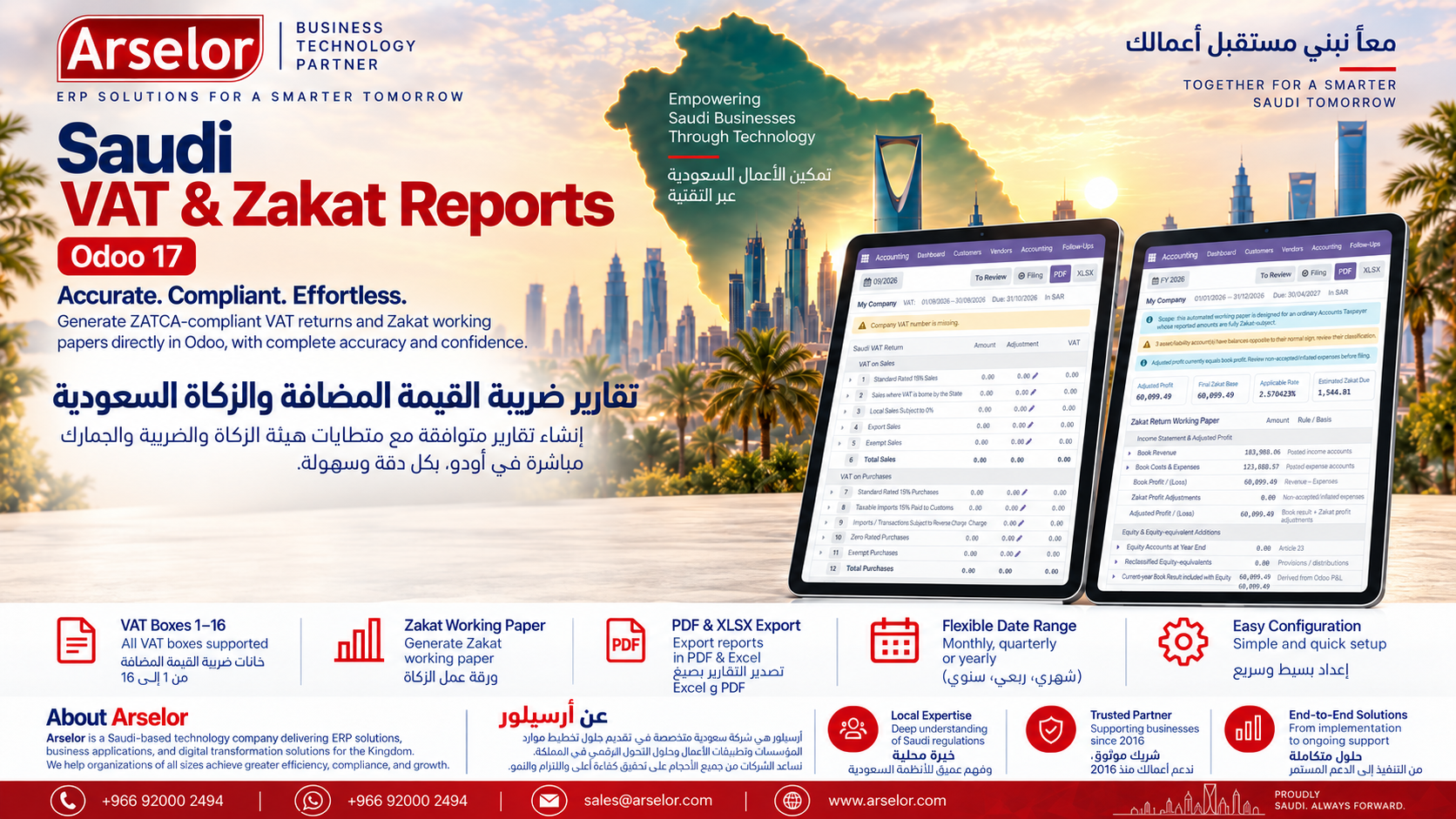
Prepare Saudi VAT working reports and an Accounts Taxpayer Zakat working paper directly from posted Odoo accounting data. Includes interactive drill-down, PDF/XLSX export, filing-period status and manual custom date ranges for analytical VAT review.